Watch the power flow, scan by scan.
Contacts light up and timers count on every scan while the program runs.
- Pause, step one scan and restart
- Signal chart over time
- Toggle inputs and force outputs
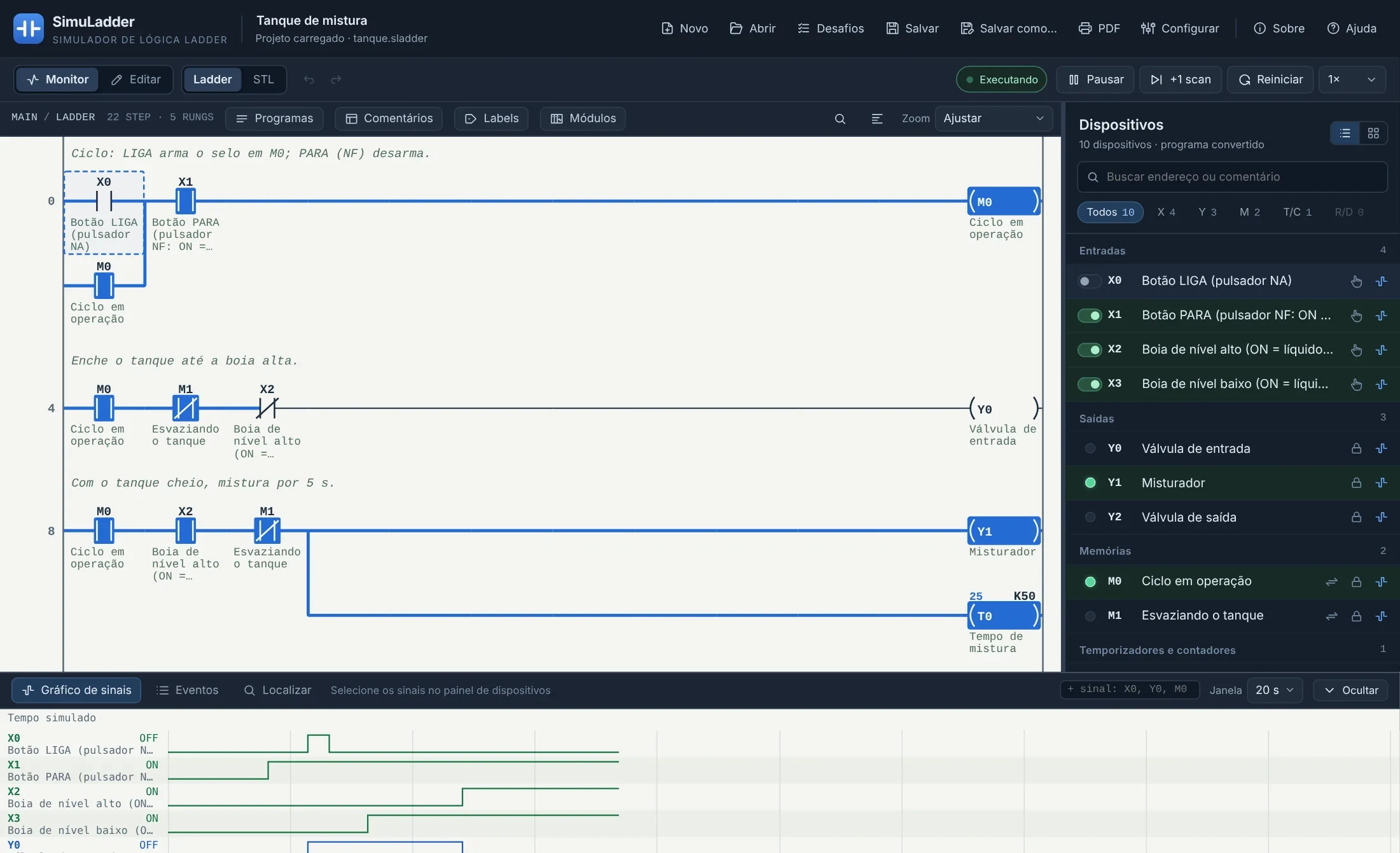
A PLC simulator in your browser: test your logic in real time before moving it to the manufacturer's software.
Not a video: the plant is running the ladder next to it, scan by scan. Press STOP and START on the panel.
Made by people who work in automation. Each manufacturer with its own languages, addresses and way of editing.
Contacts light up and timers count on every scan while the program runs.
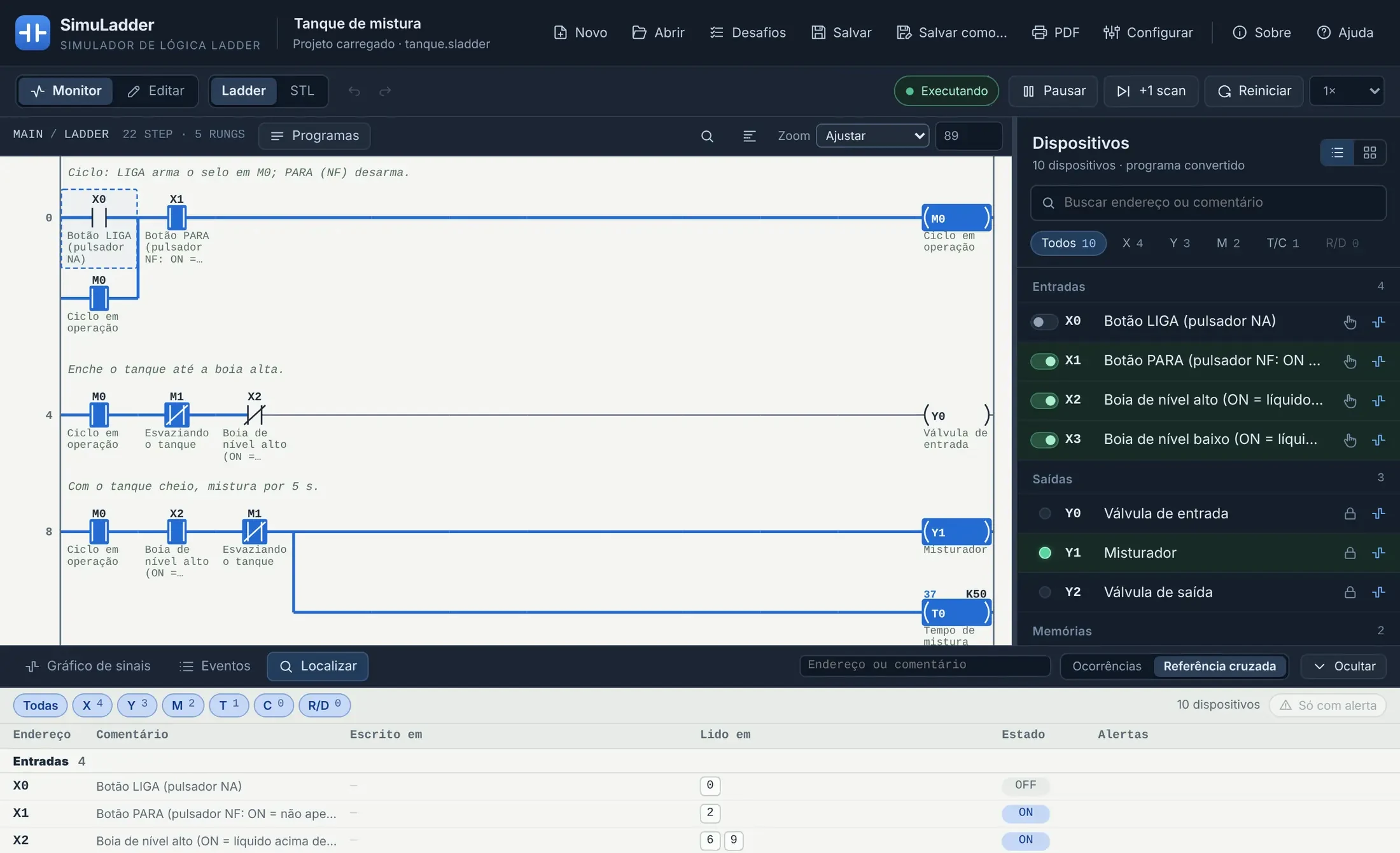
Two views of the same program, with the shortcuts you already know.
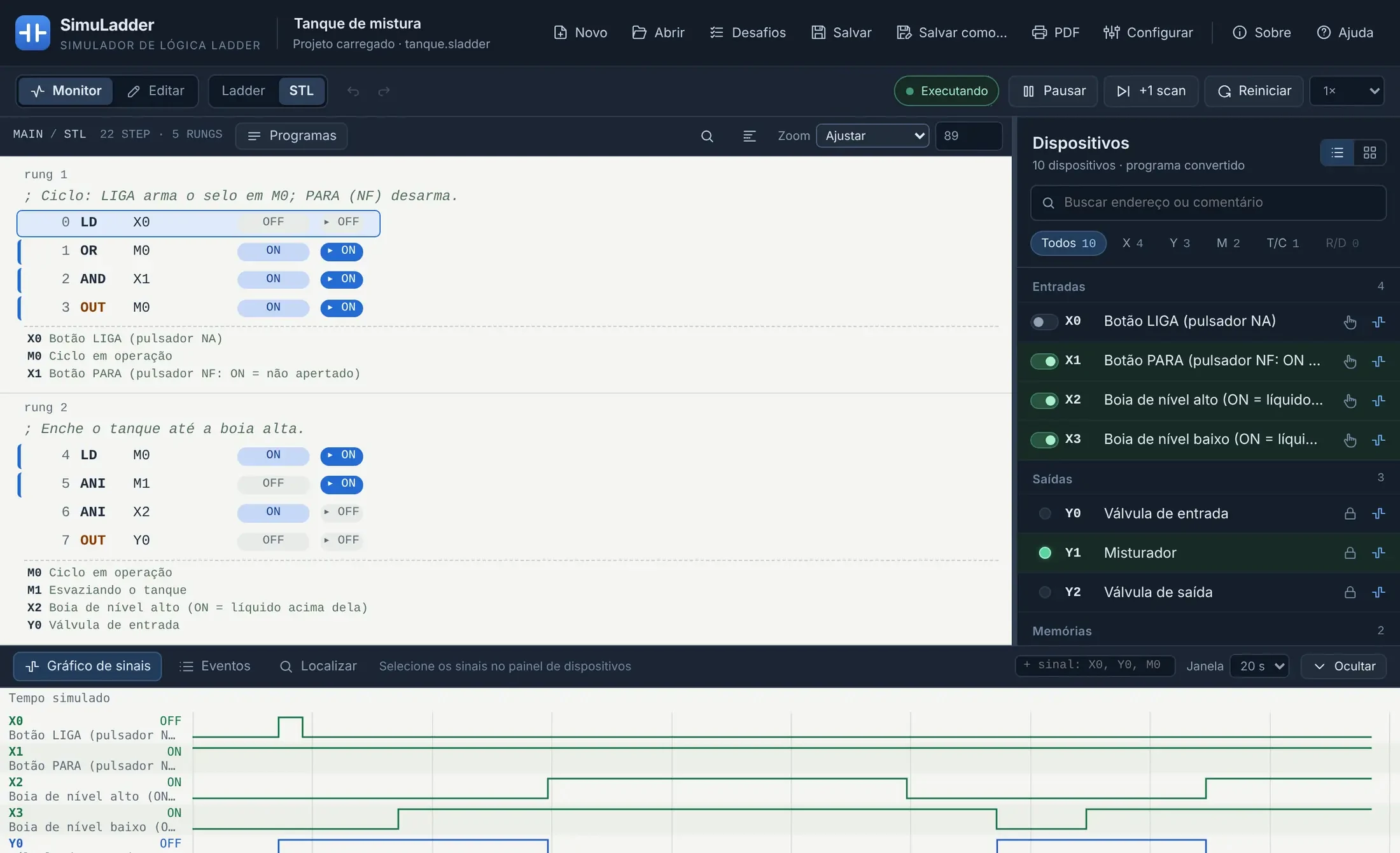
Where each address or tag is written and read, with its current state. Find locates any of them in the whole project.
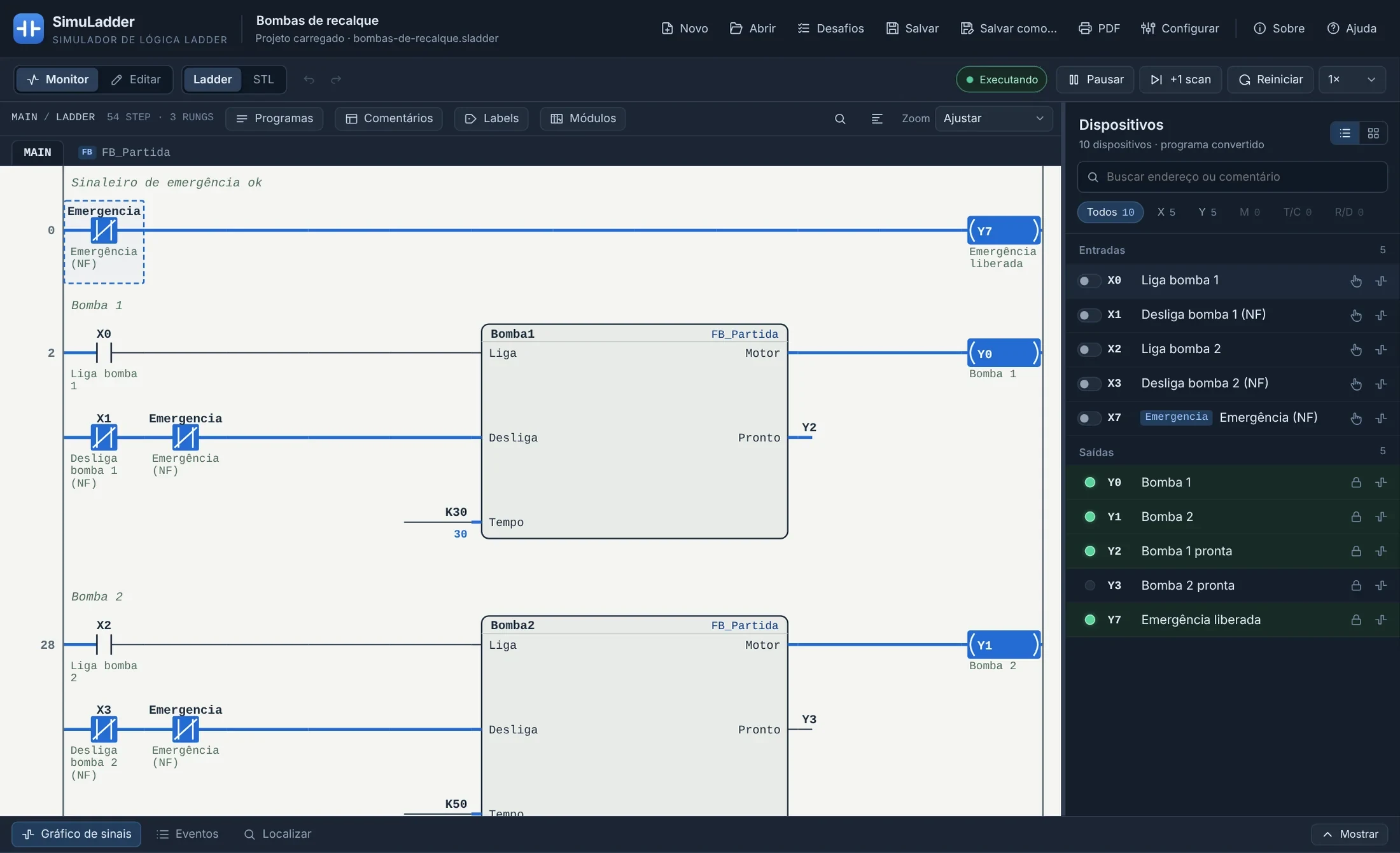
As in a GX Works2 project with labels: each instance has its own devices, and the monitor shows the instance you pick.
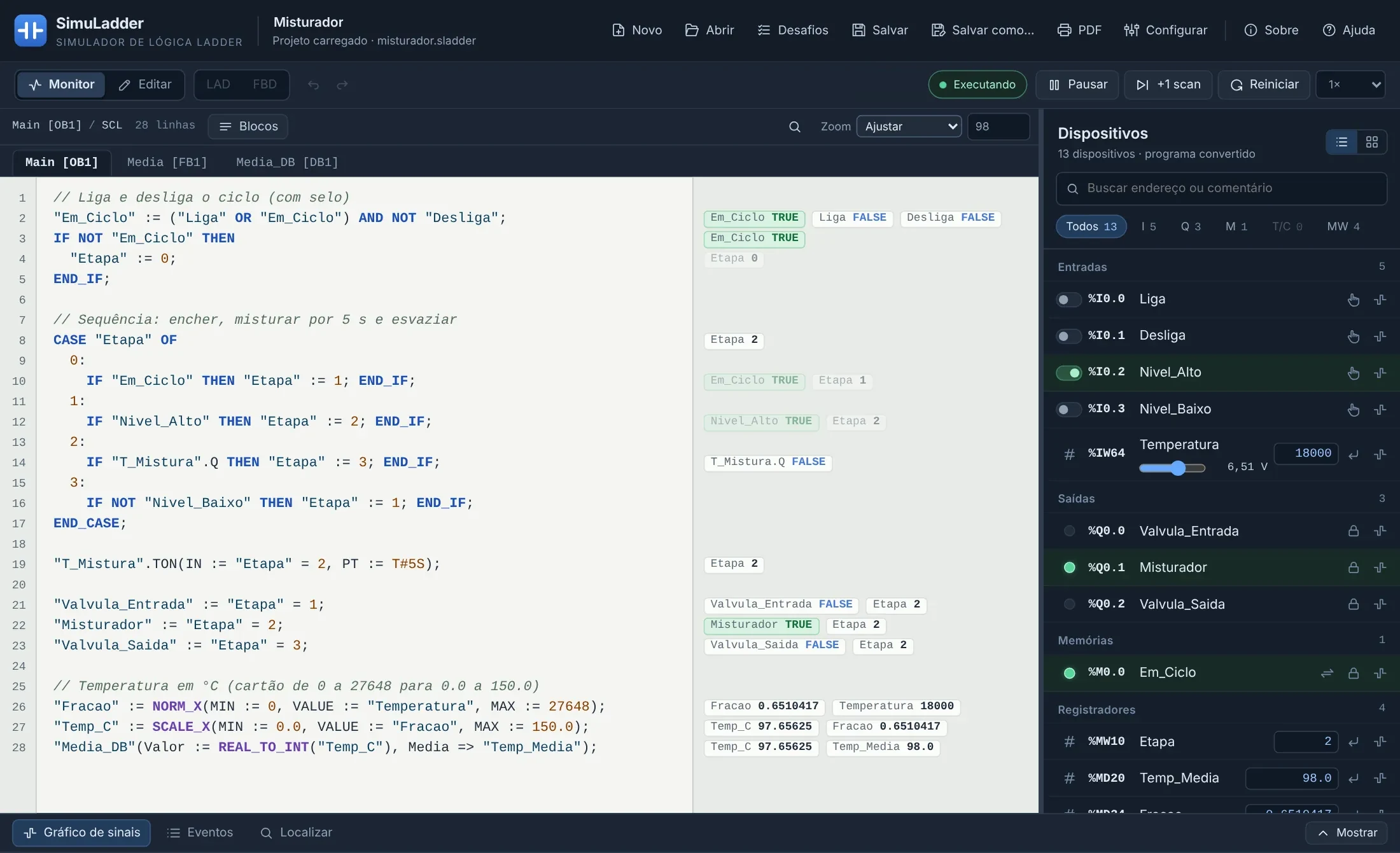
IF, CASE, FOR and MELSEC instructions in text. In the monitor, the value of each operand next to the line.
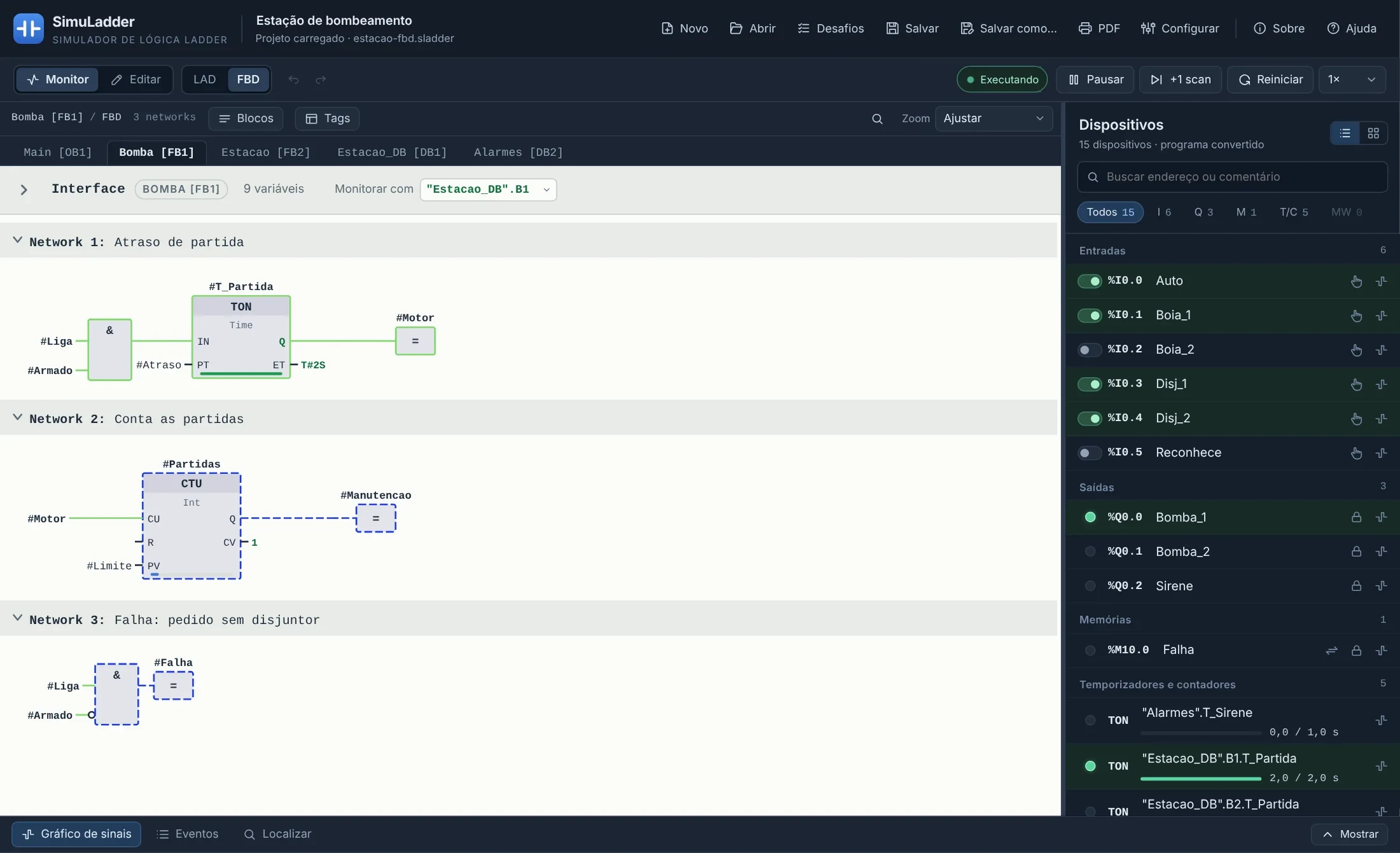
Networks, tags and boxes with EN/ENO, as in TIA Portal. Switch between LAD and FBD with one click.
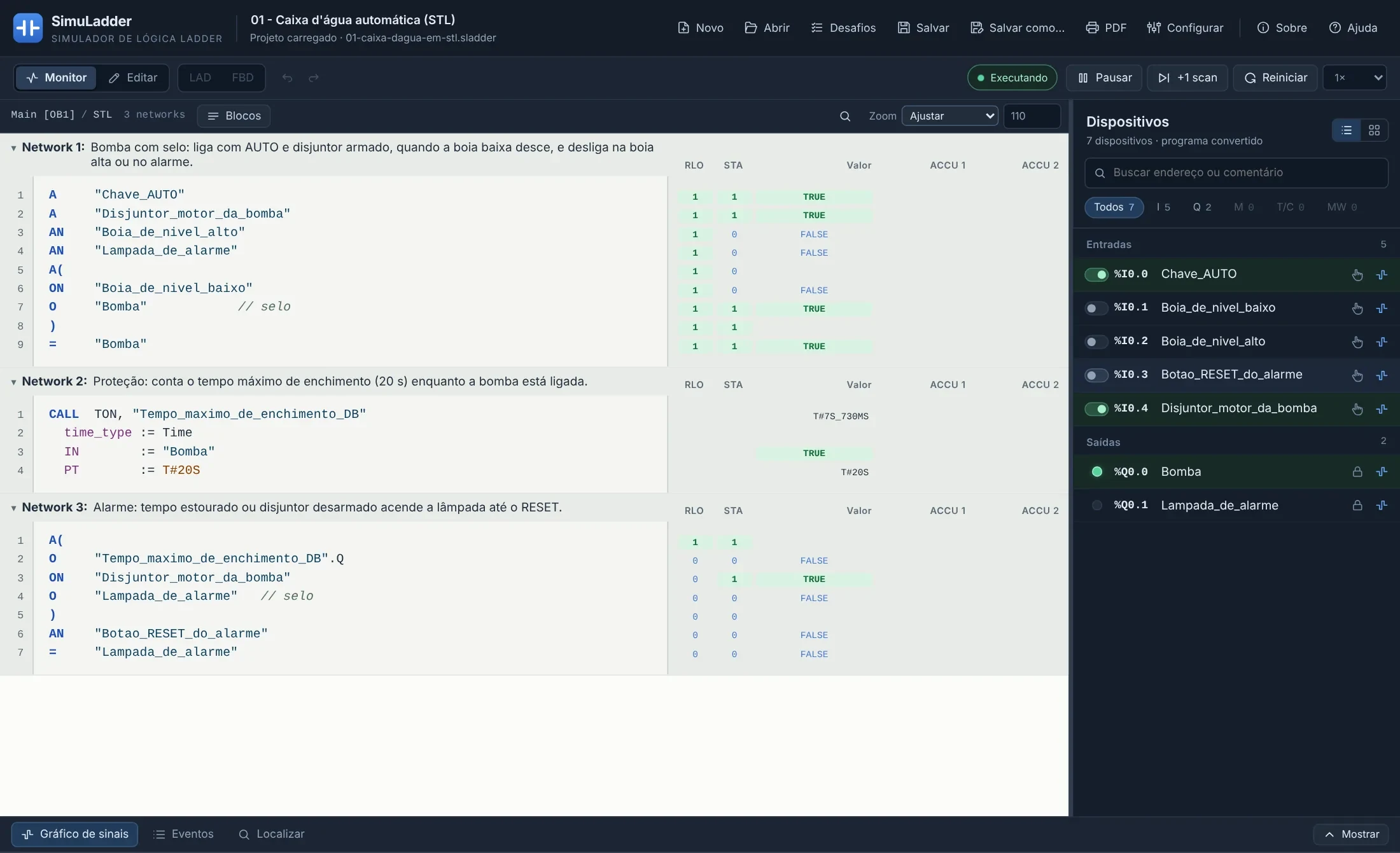
International mnemonics, jumps and CALL of FCs and FBs. In the monitor, RLO, STA and accumulators on every line.
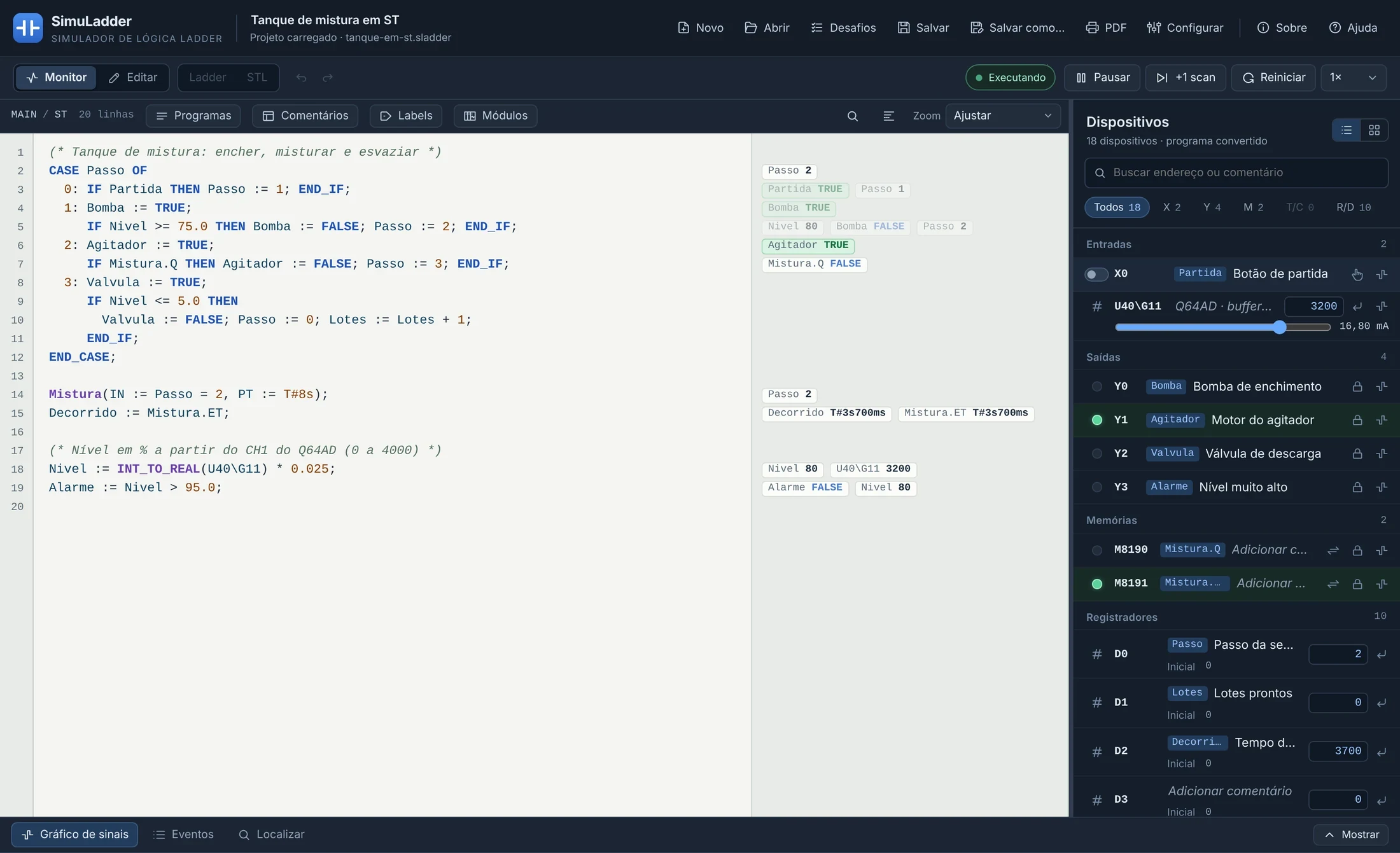
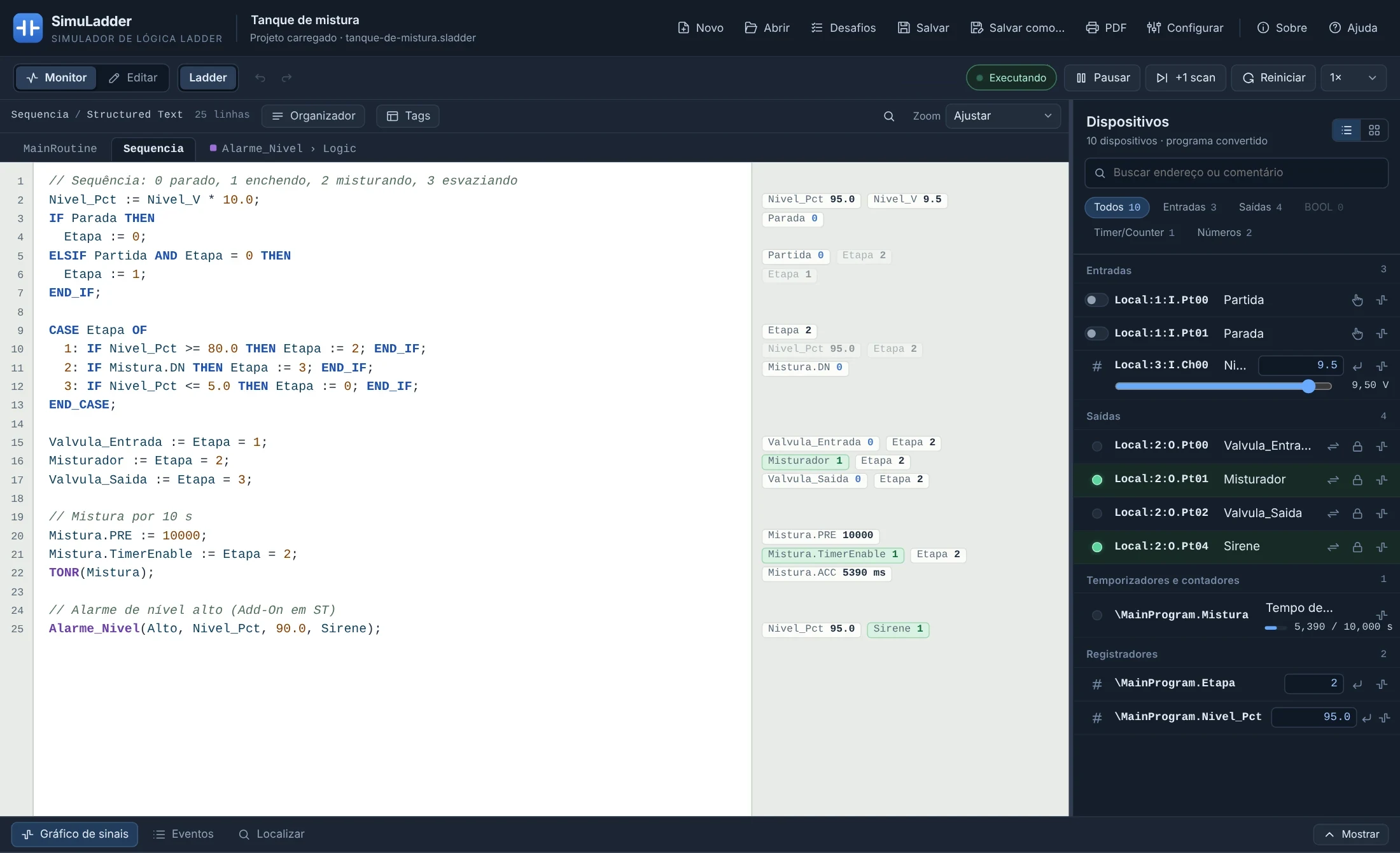
IF, CASE, FOR, timers and FB calls, with the value of each operand next to the line.
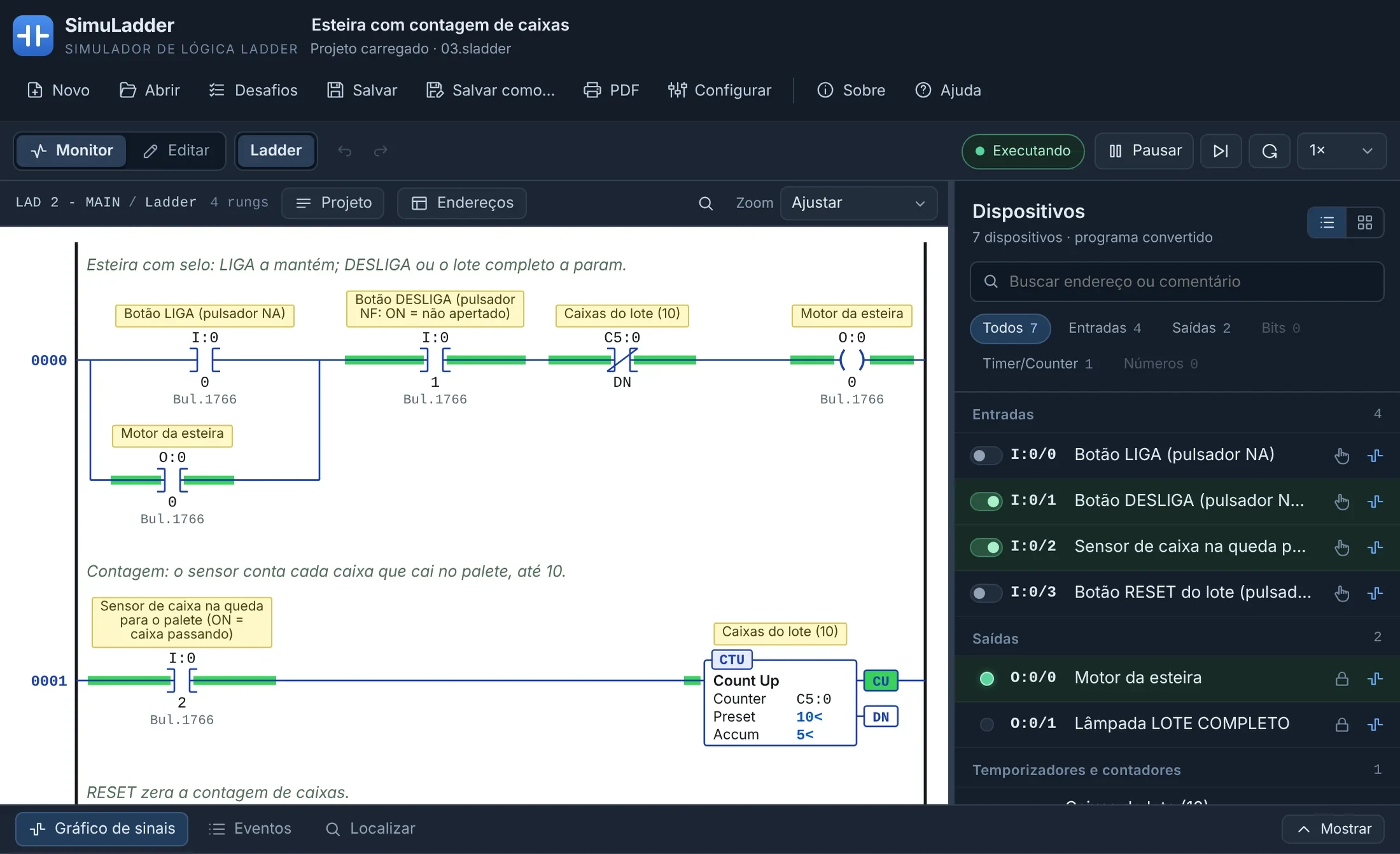
Tags with descriptions and aliases, rungs that wrap as in the original, and the rung text you already type.
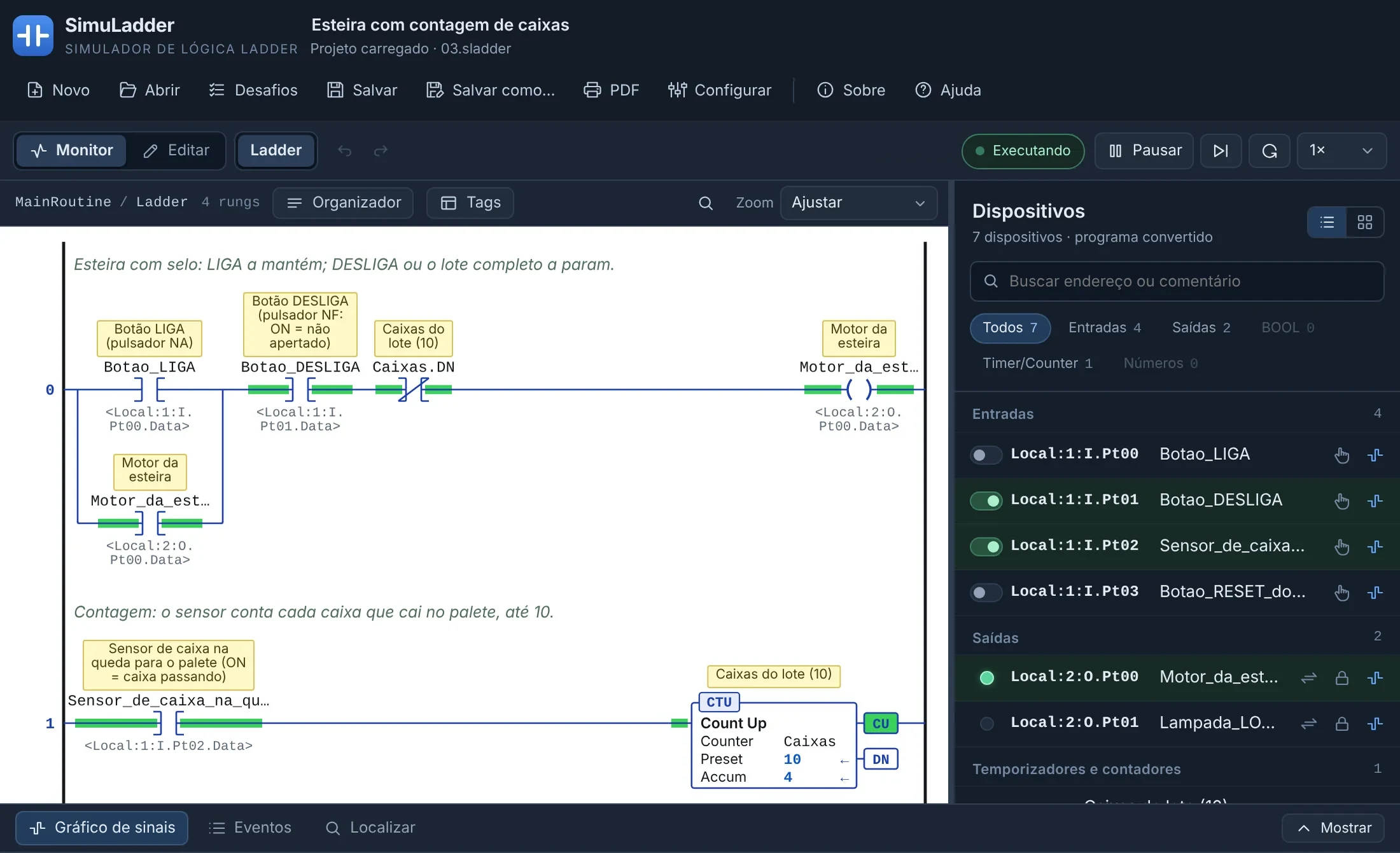
IF, CASE, TONR, CTUD and Add-On calls, with the value of each tag next to the line.
I:0/0, B3, T4 and N7 addresses, the description above the instruction and the ASCII text of the rung.
Program, comments, cross reference and equipment header, in any language.
Split the project as in the manufacturer's software: programs, subroutines, FBs with instances, routines with JSR and periodic tasks.
Standard and retentive timers, counters, pulses, 16- and 32-bit math, comparisons, shifts and much more.
Save once and every change goes to your account on its own. Open it on any computer, organize it in folders and, if you want the file, save it as .sladder.
X, Y and D on Mitsubishi; %I, %Q and DBs on Siemens; tags and aliases in Studio 5000; I:0/0 and N7 in RSLogix 500. If you come from the manufacturer's software, you'll feel at home.
Comment every device, every rung and every network. Comments show up in the program, the cross reference and the PDF.
Every instruction comes with an example that runs right there. Turn on the inputs and follow the power flow, the time and the output, without touching your program.
Counts time while the line is energized. When it reaches the set value, the T contact turns on.
Turn X0 on and hold it: after 3 s, Y0 lights up. Turn it off earlier and the count goes back to zero.
Each operand shows what it accepts, checks what you typed and tells you, in one sentence, what the instruction will do.
The way each software inserts instructions.
Each challenge is an animated system, from a garage door to a water jug filler, with sensors, actuators and faults. Program it with the manufacturer and language you prefer: SimuLadder checks the requirements on the spot and, if you get stuck, shows the solution running on the plant.
Just an email and a password.
Free with one small project, or monthly and yearly with everything included. Cancel anytime.
On a computer or tablet, start with challenge 01 or with a project of your own.
Start free with a small project. Subscribe to get all of SimuLadder; yearly costs less.
Prices in US dollars. Cancel anytime: access lasts until the end of the paid period. Refunds within 14 days.
Yes. Once your email is confirmed, you can use SimuLadder for free with 1 project saved to your account: 1 ladder program with up to 3 rungs and 6 instructions per rung, with any of the 4 manufacturers. The challenges, the other languages and opening files from your computer are part of the Pro plan. A free account unused for 12 months is deleted, with two email reminders beforehand.
Mitsubishi MELSEC, as in GX Works2; Siemens S7-1500, as in TIA Portal; and Rockwell: ControlLogix and CompactLogix as in Studio 5000, MicroLogix 1400 and 1200 as in RSLogix 500. The plan gives you access to all of them.
No. SimuLadder is an independent simulator: it follows the way those programs work, but it doesn't connect to PLCs or generate files for them. After simulating, you move the logic to the manufacturer's software, which you still need, with its license. Simulation reduces errors, but it doesn't replace testing on the machine.
Not yet: today the app's menus, help and challenges are in Portuguese, and the English version is on the way. The instructions, addresses and elements of each manufacturer (Rung, Network, Branch, TON…) have the same names as in the original software.
No. SimuLadder runs in your browser (an up-to-date Chrome, Edge, Firefox or Safari).
No. Programming ladder needs a large screen, a mouse and a keyboard. Use a computer or a tablet in landscape. On a phone, only this page and your account open.
In your account. After the first Save, every change is stored on its own and the project opens on any computer. The Pro plan holds up to 50 projects (10 MB) per account, plus your challenge progress; the free account holds 1 project.
Yes. Save any project as .sladder or export several in a .zip. To bring files in, use Open from computer or Import to account, on the Pro plan.
Yes, with no fee. Access lasts until the end of the paid period, and you can ask for a refund within 14 days.
By credit card and, in Brazil, also by Pix. Payment is processed by Paddle, SimuLadder's authorized reseller.
Yes. Use the language and structure you prefer, including FBs and Add-On Instructions. The grader checks what the plant does, not how the program was written.
Yes. The challenges go from 01, easy, to 15, hard, each with a description, an I/O list and the solution running on the plant.
Create your account and program your first plant today, right in your browser.